
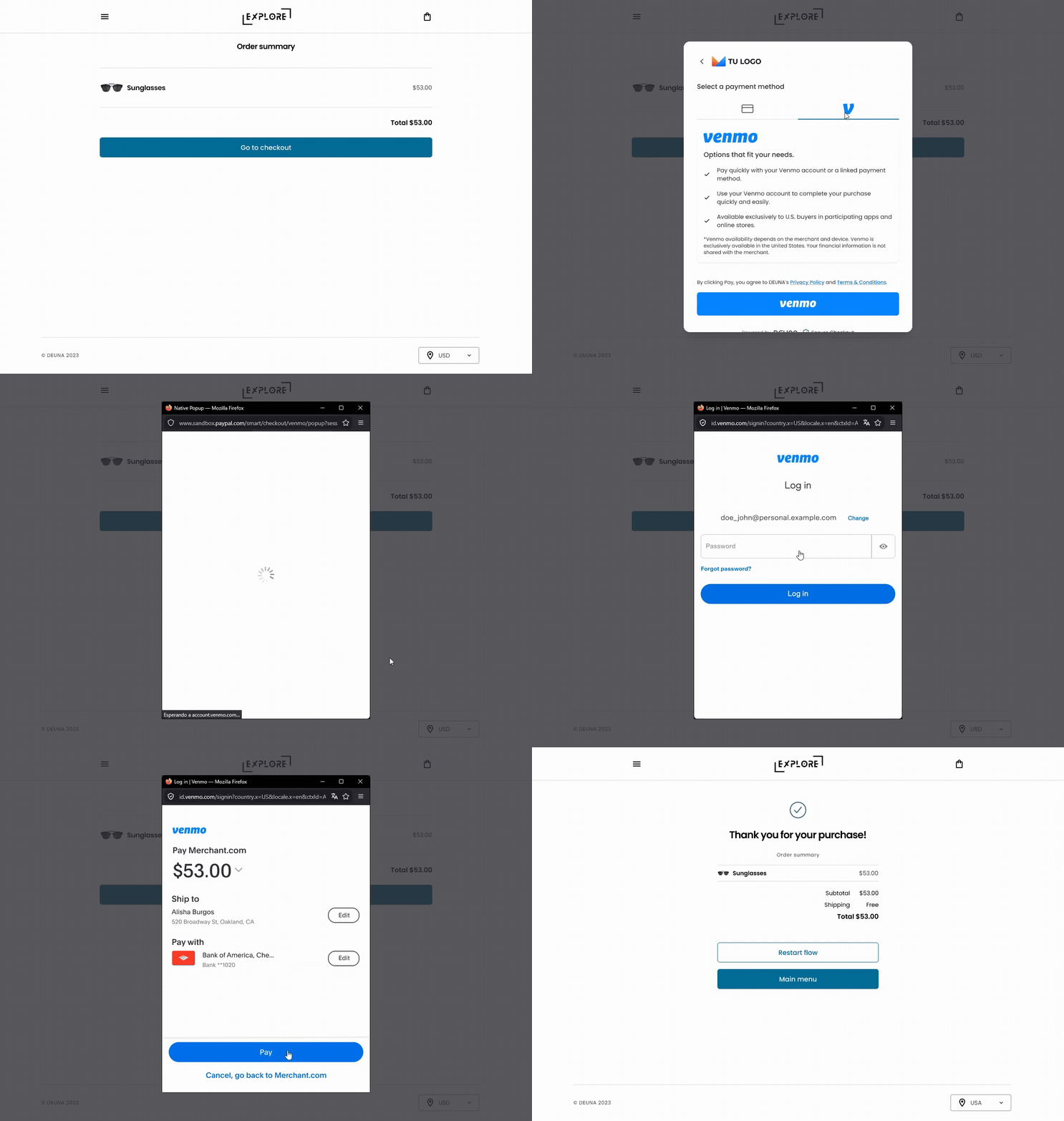
Venmo via Widget
Only available within the territory of the United States.
Prerequisites
Before implementing Venmo payments, ensure you have:
- Enabled Venmo in the DEUNA Admin Panel.
- An order token generated in US dollars (USD).
- Integrated the DEUNA SDK in your project.
- Reviewed the Payment Widget documentation for your platform.
Payment Widget configuration
DeunaSDK.initPaymentWidget({
  orderToken: '<YOUR_GENERATED_ORDER_TOKEN>',
  paymentMethods: [
    {
      paymentMethod: 'wallet',
      processors: ['venmo'],
    },
  ],
  callbacks: { ... },
});
Error types
When a transaction is declined, an INSTRUMENT_DECLINE error will be returned, which can be caused by the following subtypes
- INSUFFICIENT_FUNDS
- ACCOUNT_CLOSED
- ACCOUNT_FROZEN
- SUSPECTED_FRAUD
- GENERIC_DECLINE
Updated 11 days ago
Did this page help you?