
Koin
About Koin
Koin is a credit risk and fraud prevention for Brazilian BNPL.
Koin is a pioneering Brazilian fintech and a leading provider of Buy Now, Pay Later (BNPL) solutions in Latin America, particularly famous for its "Boleto Parcelado" and "PIX Parcelado" (installment) products.
As Koin acts as both the payment method and the credit issuer, the Koin API performs a simultaneous, real-time assessment of both fraud risk and credit risk, assuming full liability for approved transactions.
Capabilities
- Dual-Threat Assessment: Evaluates a transaction not just for identity fraud, but also for the consumer's creditworthiness and likelihood of default.
- 100% Liability Shift: For transactions processed through Koin's alternative payment methods, they assume the full credit and fraud risk, guaranteeing you get paid even if the customer defaults or commits fraud.
- Financial Inclusion Data: Utilizes alternative data sources to score unbanked or underbanked Brazilian consumers who might lack traditional credit histories but are legitimate buyers.
- Seamless Local Installments: Enables risk-free installment offerings via Boleto or PIX without tying up the customer's credit card limit.
How It Works With Our Orchestration Engine
Because Koin makes a definitive financial decision on whether they will fund the transaction, their API provides clear status responses (Approved, Pending/Review, Denied).
Our orchestration engine maps an "Approved" directly to our Low Risk tier (proceeding with the Koin payment capture), maps "Pending" to Medium Risk (holding the order state while Koin finalizes credit checks), and maps "Denied" to High Risk (blocking the Koin payment, but allowing you to fallback/route to a different payment method like a standard credit card via Adyen).
Risk Tiers
The table below outline how the raw responses and risk scores from each supported provider are mapped to these standardized levels, along with the default routing actions triggered by each tier. Keep in mind that while these represent our standard configurations, you have full control to customize what triggers each risk level to perfectly align with your business's unique risk appetite.
Koin evaluates both fraud and credit risk simultaneously. Their responses dictate whether they will assume the liability for the installment payment.
| Provider's Raw Response (Example) | Our Standardized Risk Level | Default Routing Strategy |
|---|---|---|
Status: Approved | 🟢 LOW RISK | Process directly via preferred gateway (e.g., Adyen) |
Status: Pending (Credit/Fraud Check) | 🟡 MEDIUM RISK | Hold transaction state until final webhook update and/or Trigger 3D Secure (3DS) |
Status: Denied | 🔴 HIGH RISK | Deny transaction OR Route to specialized high-risk gateway |
Requisites
Before you can configure Elavon in our Admin, you must have an active merchant account with them. During your onboarding, Elavon will provide you with a set of unique credentials for your direct ISO integration.
Please gather the following required fields from your Elavon integration manager or welcome documents:
- Org ID: Your unique 10-digit identifier for your merchant account.
- Private Key: Your private key.
- Store code
- Merchant Type
Configuration Steps
Connecting Elavon is a simple, one-time setup in our Admin portal.
Create the connection
-
Log in to your Admin portal.
-
Go to Connections.
-
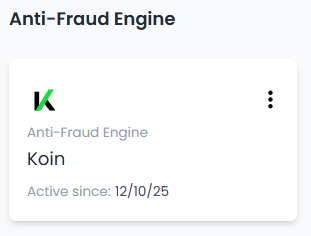
Search for Elavon and click Connect.
-
A form will appear. Enter the following information and credentials:
Credential name Value Type Org ID Provided by Koin Mandatory Private Key Provided by Koin Mandatory Environment (test, live) * "test" for Sandbox and "live" for Production Mandatory Country Code (2 chars code) * 2-digit Country Code (e.g. "MX" Mandatory Merchant Type (provided by Koin) * Provided by Koin, otherwise use "ecommerce" or "airline" Mandatory Merchant Category (MCC, 4 digits) * Merchant category code (e.g. "3676") Mandatory Commercial Name * Merchant's name Mandatory Listener Mode (true or false) * Default "false" Mandatory Store Code * Provided by Koin Mandatory Store Latitude * Latitude of the store. Default "0" Optional Store Longitude * Longitude of the store. Default "0" Optional -
Click "Save".
Set up the sandbox environment in DEUNA
-
Access the [DEUNA Admin]https://admin.deuna.com/home).
-
Select Test Mode.
-
Go to Settings.
-
Click Merchant
-
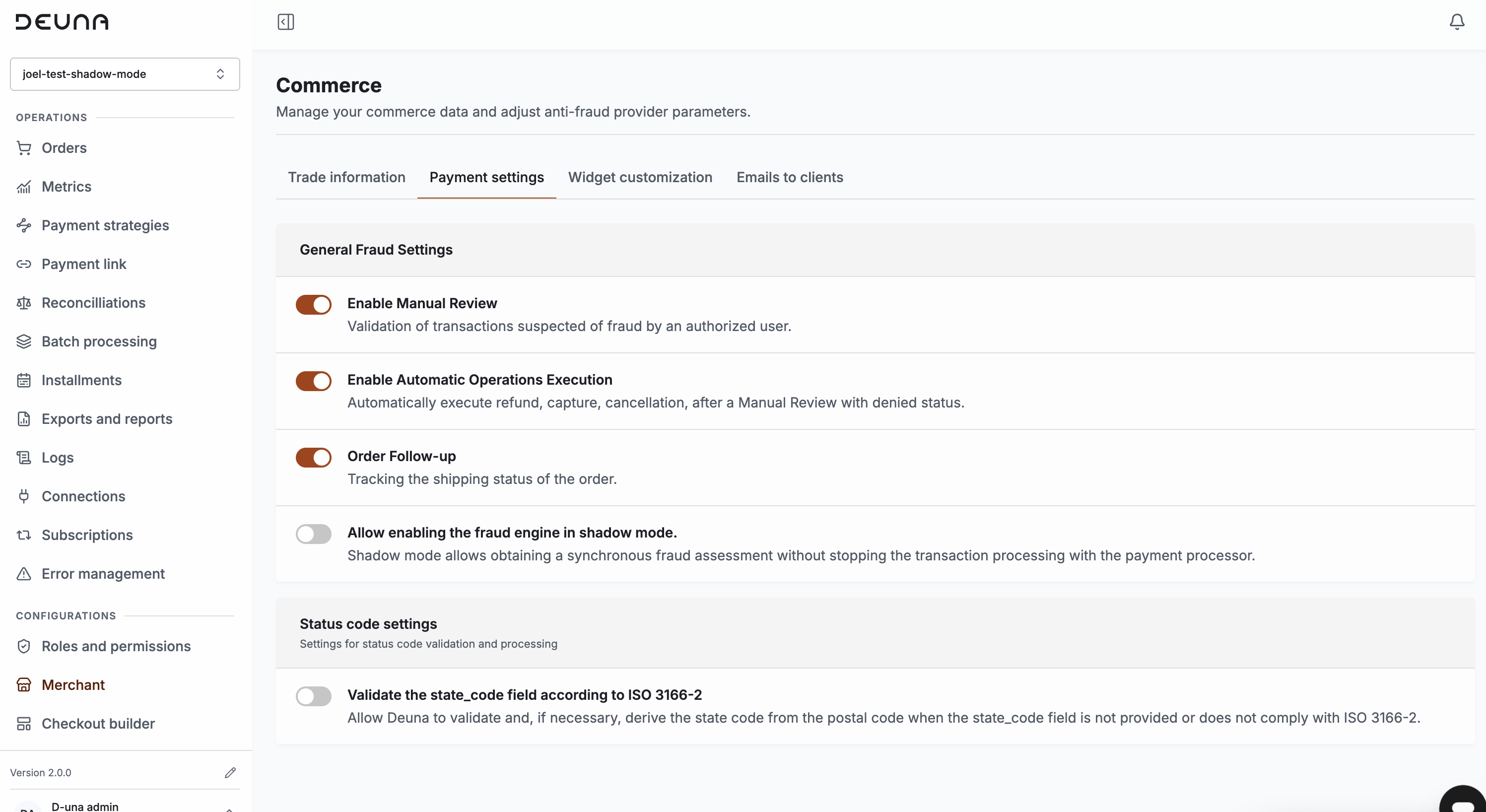
Under Payment settings, select the Fraud Settings.
-
Only for Post Authorization Configuration:
- Enable Manual Review
- Enable Automatic Operations Execution
- Order Follow-up
Configure Koin as an anti-fraud provider in DEUNA
Configure Koin as an anti-fraud provider using testing credentials:
- Go to Connections in the Payments section.
- Search for Koin and click it.
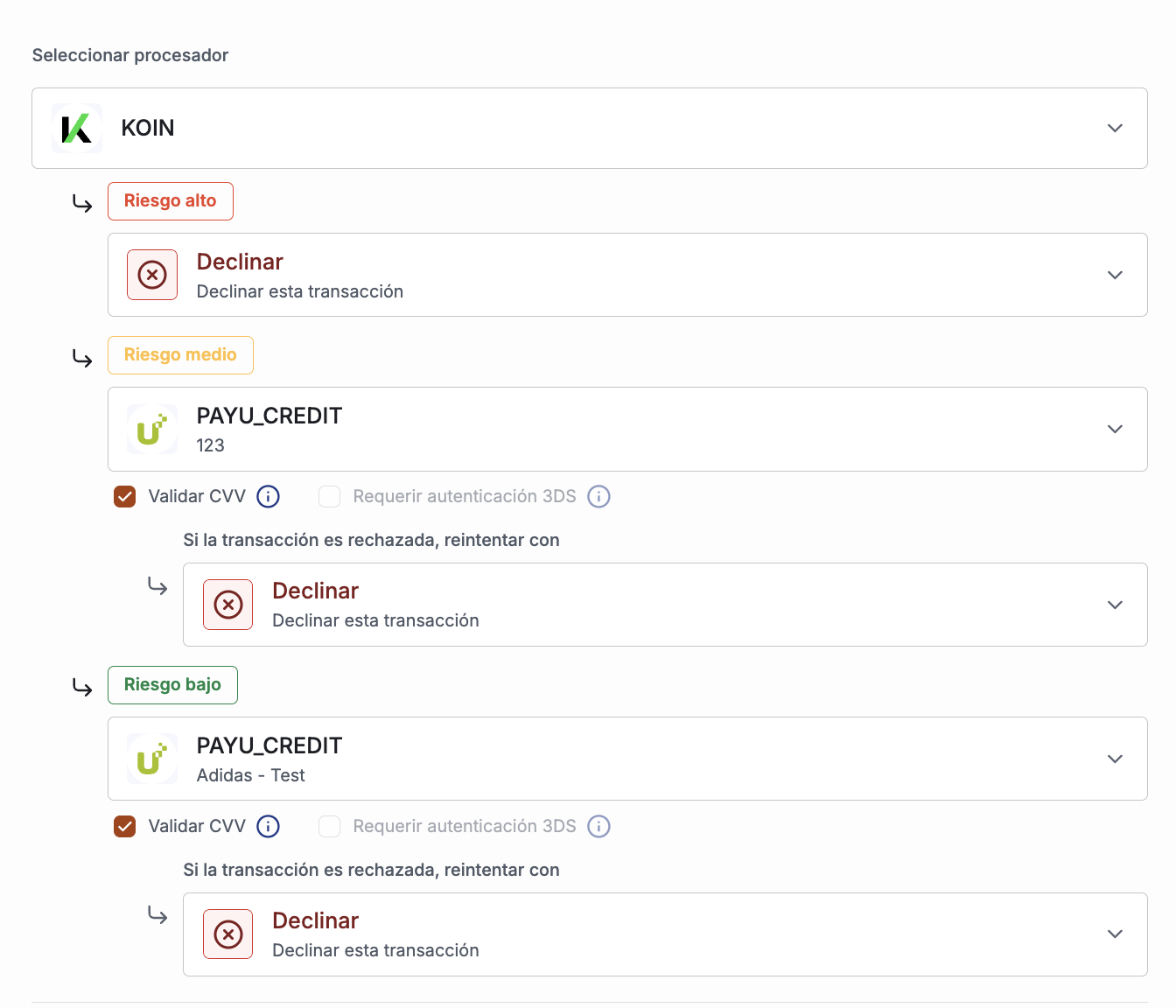
- Use the test credentials and establish a Payment Strategy
-
testas Environment. -
Pre Authorization
-
-
Post Authorization
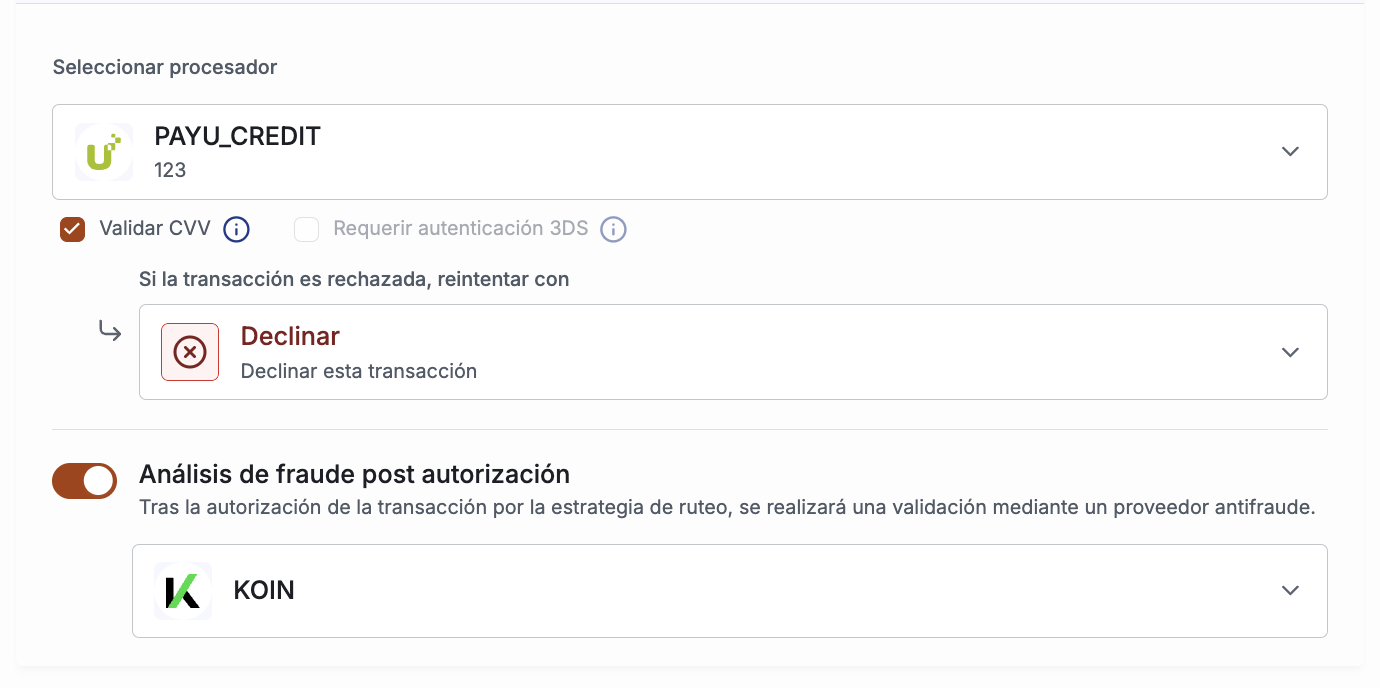
5. Configure device fingerprinting
-
When connecting to Deuna via Payment Widget and Payment link follow this guide.
-
When connecting to Deuna by direct API, follow this guide.
-
For either connection, you have to add Koin in the providers object with the following parameters:
KOIN: { orgId: '21xx031605' } -
The parameter to configure is
orgId, which is part of the connection credentials. -
For API connections, send the output to DEUNA in the
device_idfield in base64.
6. Test the integration
Make the following transactions using the emails:
| Result | Billing_address.email |
|---|---|
| Automatic Aprove | [email protected] |
| Automatic Deny | [email protected] |
| Async Approve | [email protected] |
| Async Deny | [email protected] |
| 3DS | [email protected] |
The following values should appear in the Fraud section:
-
Pre Authorization

-
Manual Review and Post Authorization

7. Deploy Koin to Production
Set up the production environment:
- Koin:
- Get access to Production Dashboard in Production: Ask Koin for the required credentials
- Login into the dashboard to configure the account
- DEUNA: Configure the merchant for Production in the Admin
- Unselect Test Mode
- Configure Koin as an anti-fraud provider using Production credentials, setting
liveorproductionas Environment - Configure the payment gateways and establish a Payment Strategy.
Updated 15 days ago